dsh-plugins#dsh-mobile-ui
by TZHR-invest
Web GUI 移动端适配:窄屏全宽响应式布局、会话抽屉、44px 触摸目标、安全区适配与阅读增强,桌面端零影响。
Mobile UI for the Web GUI on narrow screens: full-width responsive layout, overlay session drawer, 44px touch targets, safe-area support, and reading enhancements with zero desktop impact.
安装
dsh plugin --profile web add github:TZHR-invest/dsh-plugins#path:/packages/dsh-mobile-uiGitHub 源码安装:首次需按提示配置 allowBuilds 构建授权后重试
安装与环境配置指引、插件开发教程见 DSH 中文社区文档 ↗
安装即在你的机器上以你的权限运行第三方代码——它可读写文件、使用凭据、访问网络,DSH 的工具审批不会为插件代码加沙箱。「检测到 manifest」仅代表发现 dsh.bundle / dsh.plugin 清单,不构成兼容性或安全审查;安装前请审阅源码,不熟悉的插件先在不含密钥的环境试用。
预览截图
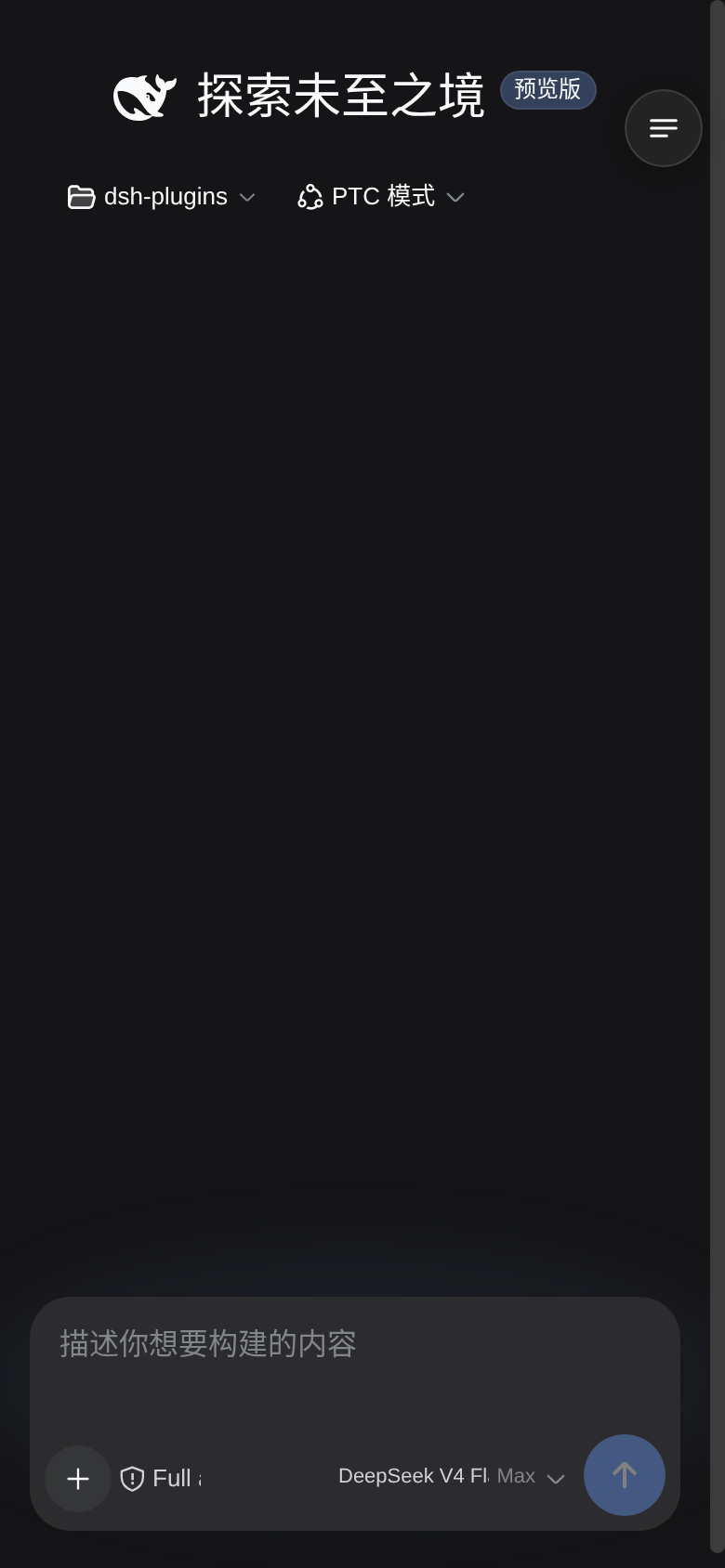
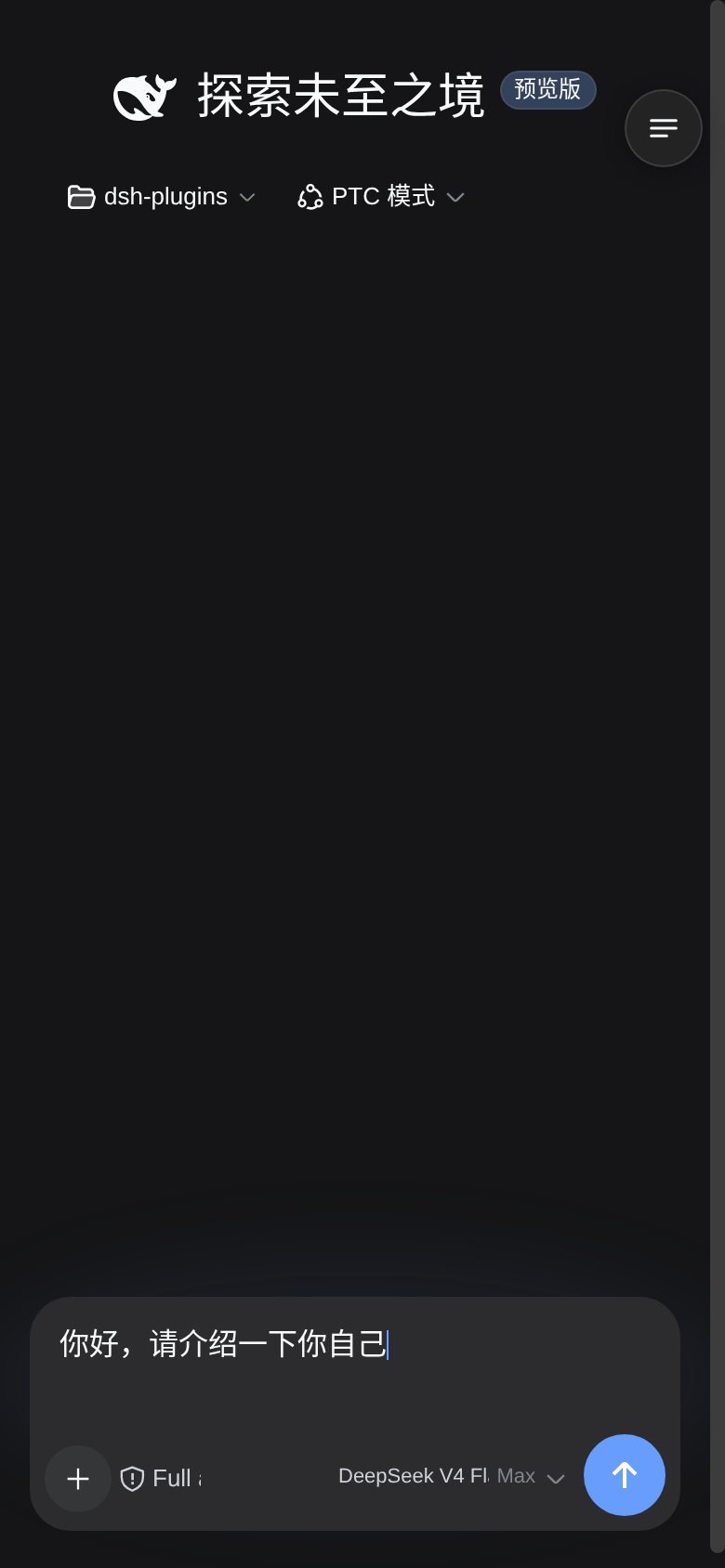
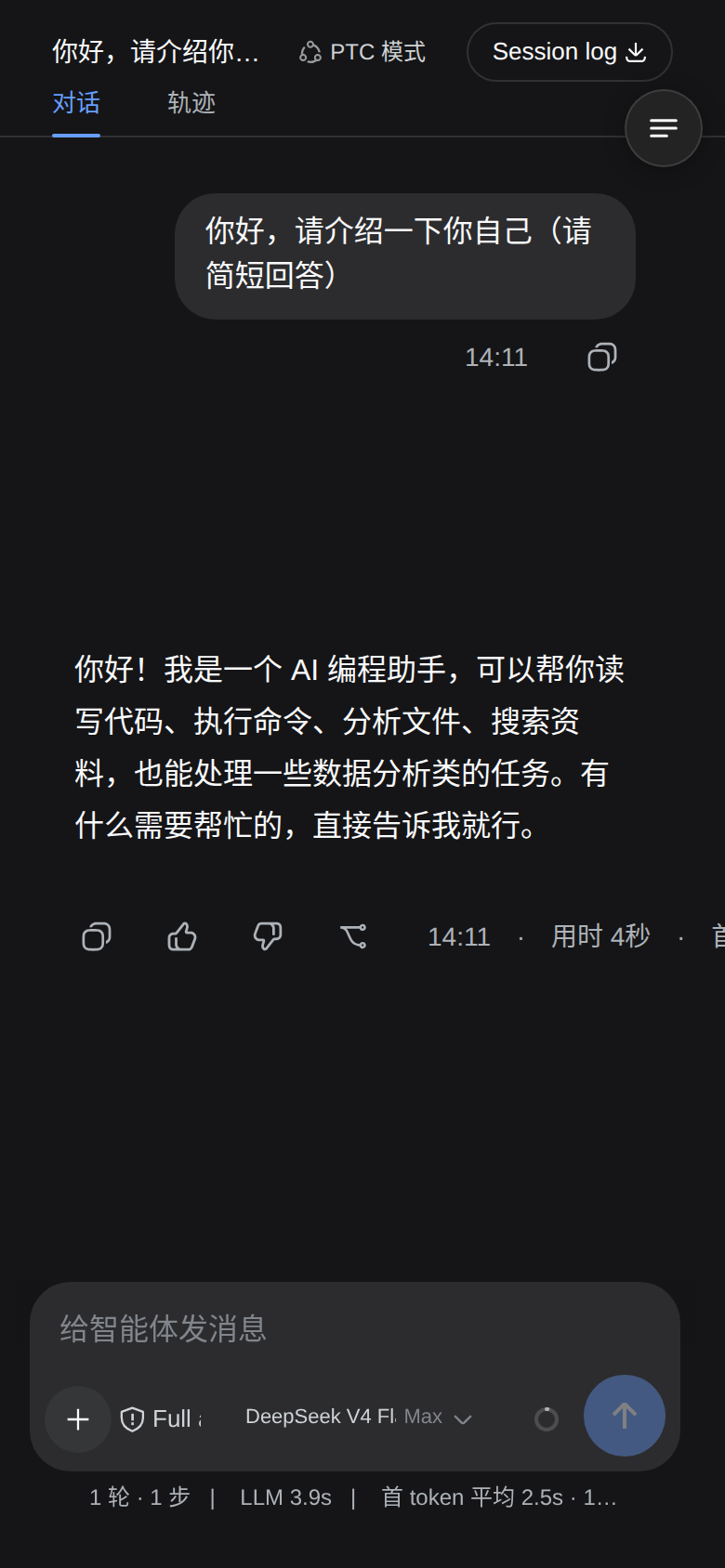
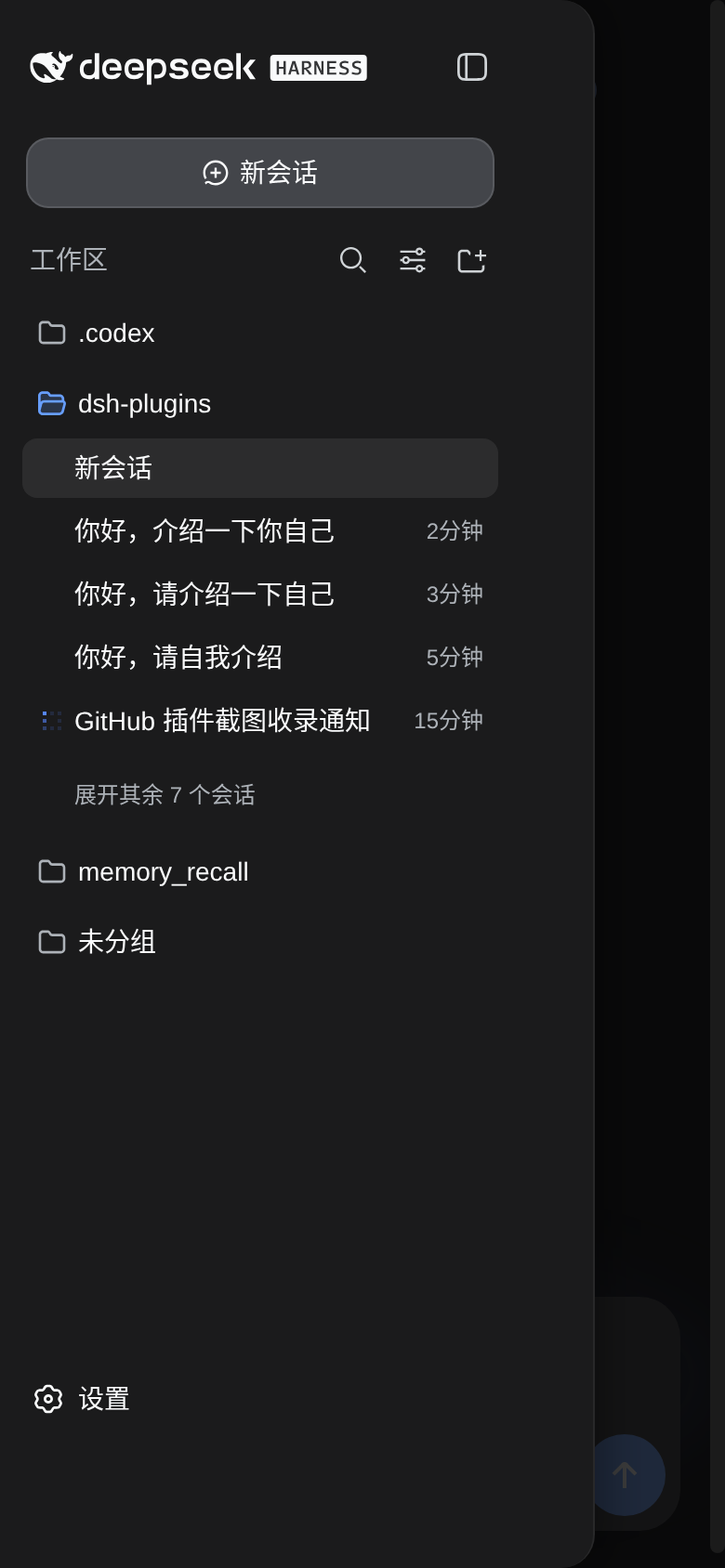
README
dsh web 移动端 UI 优化插件:在手机(≤768px 视口)上把 dsh 变成真正的移动端体验。
- 响应式布局:隐藏左侧图标栏,内容全宽;会话列表以抽屉形式展开
- 右上角菜单按钮:新建 / 会话列表 / 设置 全部入口收纳进抽屉
- 阅读增强:消息间距、气泡宽度、辅助文本(工具行/上下文注入/状态统计)字号提升
- 触摸优化:防双击缩放延迟、点击高亮去除、输入框 16px(防 iOS focus 自动缩放)
- 安全区适配:env(safe-area-inset-*) 支持刘海屏
- 桌面零影响:所有增强仅在 ≤768px 媒体查询下生效
安装
# 在插件源码目录
bash install.sh            # 安装(幂等)
bash install.sh --restart  # 安装并重启 dsh web(含 headless 冒烟,插件问题自动中止)
bash install.sh --uninstall  # 卸载
安装内容:
- 源码留档
~/.dsh/plugins/dsh-mobile-ui/ - 运行副本
~/.dsh/profiles/node_modules/dsh-mobile-ui/ - web profile 组合接线(
cordis.patch.yml插入插件行)
开发与验证
bash scripts/build.sh                       # 语法 + 契约预检(含 classic-script 校验)
bash scripts/package.sh                     # 打包 dist/dsh-mobile-ui-install.tar.gz
本地快速迭代:复制到 ~/.dsh/profiles/node_modules/dsh-mobile-ui/ 后刷新页面
(客户端插件有 HMR 通道,改 client.js 后页面自动更新)。
工作原理
- CSS 层:注入 style[data-plugin-css=dsh-mobile-ui],全部规则包在 @media (max-width:768px) 内,桌面端不加载任何效果。
- JS 层:matchMedia 驱动;窄屏时把主布局 grid 改为单列、隐藏侧边栏, 注入右上角菜单按钮 + 遮罩;菜单把侧边栏临时变为 fixed 抽屉(overlay)。
- hero 标题置顶:纯 CSS 实现——composerHero 栈在 hero 态撑满视口 (flex:1),输入卡 margin-top:auto 沉底,标题/工作区行自然留在顶部。
维护须知(重要)
- dsh 前端 CSS 类名是构建产物(hash 前缀),升级 dsh 后若选择器失效:
- 浏览器控制台确认 body.dsh-mobile-ui 类与 #dsh-mobile-tabbar 存在;
- 失效通常发生在布局类([class*=frame] 等),按新版类名前缀微调 CSS/JS;
- 修好后重新 bash install.sh。
- 布局探测采用「三列 grid + 首列 56px」结构识别(非类名硬编码), 对类名漂移有一定容错;按钮转发优先 aria-label(新建会话 等)。
- 严禁用 JS 移动 React 渲染的 DOM 节点(insertBefore/appendChild 搬动 pXSMma_root 等):React fiber 树仍记录旧父节点,重渲染时 removeChild 抛 NotFoundError,整个会话视图被卸载 → 页面空白。布局需求一律用 CSS (flex/order/:has)表达;hero 标题置顶即纯 CSS 实现。
回滚
bash install.sh --uninstall 后重启 dsh 即完全移除(不残留样式/导航 DOM)。
原始 README: https://github.com/TZHR-invest/dsh-plugins/blob/main/packages/dsh-mobile-ui/README.zh.md ↗
同类插件
查看全部 →
dsh-web-ui-all
DSH Web UI 插件与皮肤合集:任务看板、git 图、右侧面板、远程移动端 UI、桌宠、实时 token 统计与皮肤中心。
dsh-web-ui
DSH Web UI 插件与皮肤合集:任务看板、git 图、右侧面板、远程移动端 UI、桌宠、实时 token 统计与皮肤中心。

dsh-TUI
Claude Code 风格全屏终端 UI:像素鲸鱼顶栏、实时工作状态行、思考流式展开。

DSH-better-sidebar
侧边栏完整工作台:内置文件渲染编辑、终端、Git 与子代理,支持三方插件注册新 Tab。
working-activity
让 agent 的"工作状态行"活过来——实时工具动态与进度、俏皮文案、模型自述、上下文预警。同一套想法,适配两个平台: pi CLI 与 DeepSeek Harness(DSH) 。

deepseek-idesign
可视化设计工作室,支持网站、App 原型、海报、信息卡、报告和杂志的模板创建、元素编辑、选区级 AI 草稿衔接与导出。