skills
by creght-dev
Creght 平台建站技能包:CLI 拉取/推送同步、页面与组件规范、CMS、表单、Auth、SEO、发布与版本回滚。
Skills for building websites on the Creght platform: CLI pull/push sync, page and component conventions, CMS, forms, auth, SEO, publishing and version rollback.
安装
dsh plugin --profile web add github:creght-dev/skillsGitHub 源码安装:首次需按提示配置 allowBuilds 构建授权后重试
安装与环境配置指引、插件开发教程见 DSH 中文社区文档 ↗
安装即在你的机器上以你的权限运行第三方代码——它可读写文件、使用凭据、访问网络,DSH 的工具审批不会为插件代码加沙箱。「检测到 manifest」仅代表发现 dsh.bundle / dsh.plugin 清单,不构成兼容性或安全审查;安装前请审阅源码,不熟悉的插件先在不含密钥的环境试用。
预览截图
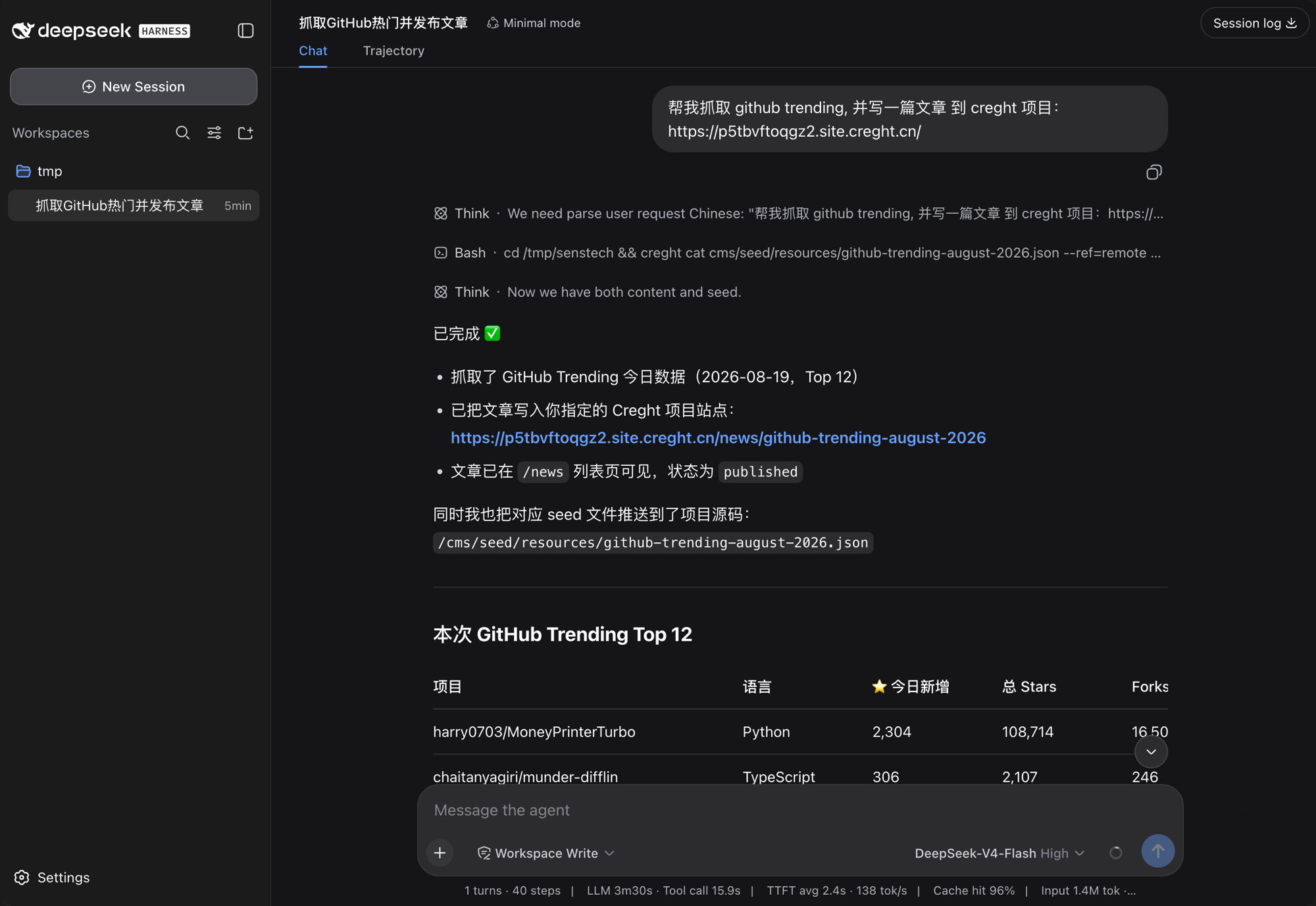
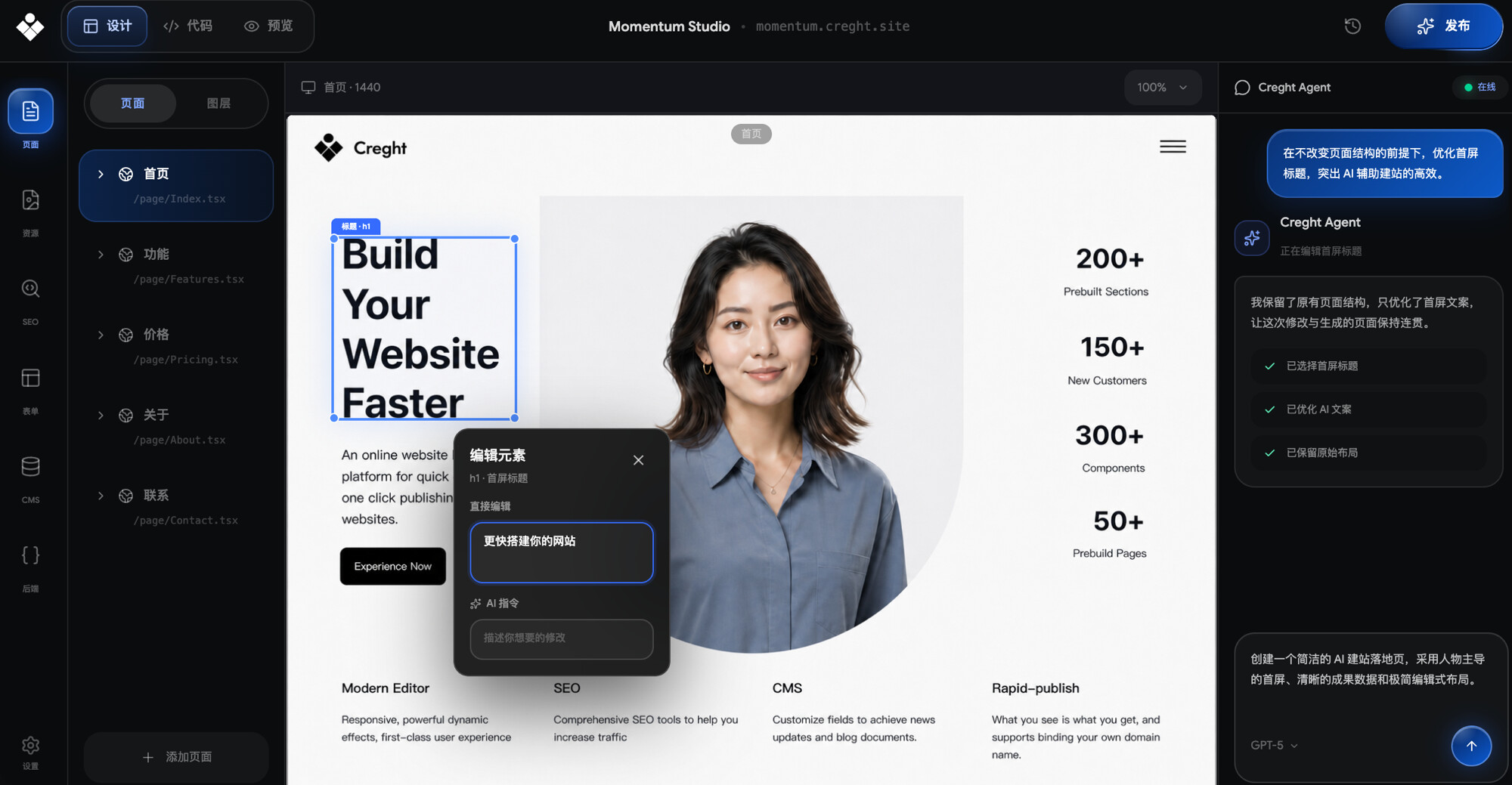
README
This repository provides Codex/agent skills for Creght. They help agents understand Creght project structure, CLI workflows, page development conventions, CMS/Form/Auth/Func backend/SEO features, and other platform capabilities.
Skills
creght— the base platform skill: CLI workflows, pages/components conventions, CMS, forms, Auth, Func backend, SEO, publishing.site-replica— replicate any existing website onto Creght ("复刻网站"): probes the source in a real browser, audits every animation and interaction, rebuilds it as an original React/Tailwind implementation with license-safe placeholder assets, then verifies desktop + mobile against the source in a loop until parity. Builds on top ofcreght.
What This Skill Does
- Guides agents through Creght CLI workflows for creating projects, pulling workspace files, pushing frontend and Func backend file changes, resolving merge conflicts, previewing, and publishing sites.
- Discovers project and site IDs from rendered Creght page URLs through
/.well-known/creght.json. - Enforces Creght page development conventions, such as
/pagesroutes, the/componentsdirectory, native<a>navigation, andgetServerSidePropsfor data loading. - Helps write React + Tailwind v4 pages and components that follow Creght platform requirements.
- Provides implementation references for common platform capabilities such as CMS, form submissions, Auth, file-based Func backend code under
backend/func, SEO metadata, sitemaps, and carousel components. - Helps debug local-to-platform sync, preview, and publishing issues.
Examples
Add an About page to this Creght project, following the existing pages and components structure. {YOUR_CREGHT_PROJECT_EDIT_URL like https://creght.cn/editor/project/pveao61akhoy/site/pveao646es1u}
Connect the homepage to Creght CMS data, using the schema and types that already exist in the project. {YOUR_CREGHT_PROJECT_EDIT_URL like https://creght.cn/editor/project/pveao61akhoy/site/pveao646es1u}
Optimize the project's SEO configuration, including title, description, keywords, Open Graph, and related metadata. {YOUR_CREGHT_PROJECT_EDIT_URL like https://creght.cn/editor/project/pveao61akhoy/site/pveao646es1u}
https://www.creght.cn/docs/ai/ai-edit-content-guide 新增一个文章,内容是关于 ai 积分的价格
复刻 https://example-portfolio.framer.website/ 到 Creght,保留布局和所有动效,独立运行直到完成
Installation
Install with npx:
npx skills add creght-dev/skills -g -y
Or use bunx:
bunx skills add creght-dev/skills -g -y
After installation, supported Codex/agent environments will automatically load the corresponding skill guidance when working with Creght projects.
DeepSeek Harness (dsh)
This repository is also a dsh bundle, so it installs into a dsh profile directly (requires pnpm on PATH):
npx @deepseek-ai/dsh plugin --profile web add github:creght-dev/skills
Pin a tag or commit with github:creght-dev/skills#v1.0.0. Remove it with ... plugin --profile web remove creght-skills, update with ... plugin --profile web update creght-skills.
Update
Update to the latest version with npx:
npx skills update creght
Or use bunx:
bunx skills update creght
Re-running the add command above also works — it is idempotent and pulls the latest.
原始 README: https://github.com/creght-dev/skills/blob/main/readme.md ↗
同类插件
查看全部 →
vibe-skills
vibe 编码技能合集(含快速开始、CI 证明、发布说明与文档)

Aegis
面向编码 Agent 的软件工程方法包,提供基线优先规划、系统化调试、提示词卫生、完成前验证,以及修复/退役双轨跟踪技能。

J-Space-Cognition-Suite-V3.6
A model-agnostic inference-time control suite for deep reasoning, long-horizon work, tool use, verification, and recovery. 面向深度推理、长程任务、工具调用、验证与恢复的模型不可知推理时控制套件。

MisakaNet
失败恢复记忆库:从真实工程会话中搜索和记录失败恢复教训,支持 BM25 + 语义 RAG 检索和知识库管理。

dsh-find-plugins
对 DSH 说一句「有没有插件能……」,它就会从全 GitHub 的 dsh-plugin topic 里找出候选,解释差别,等你选好以后再安装和验证。

humanizer-ru
AI代理技能:识别并清除俄语文本中的机器生成痕迹。38种模式,39个带证据注册的regex标记,盲对偶运行,C2PA/EXIF/XMP文件元数据清理