deepseek-reaxcode
by lrxzl
deepseek-harness 的 reaxcode 集成
deepseek-harness reaxcode
安装
dsh plugin --profile web add github:lrxzl/deepseek-reaxcodeGitHub 源码安装:首次需按提示配置 allowBuilds 构建授权后重试
安装与环境配置指引、插件开发教程见 DSH 中文社区文档 ↗
安装即在你的机器上以你的权限运行第三方代码——它可读写文件、使用凭据、访问网络,DSH 的工具审批不会为插件代码加沙箱。「检测到 manifest」仅代表发现 dsh.bundle / dsh.plugin 清单,不构成兼容性或安全审查;安装前请审阅源码,不熟悉的插件先在不含密钥的环境试用。
README
A lightweight AI programming agent, using the WebUI and CodeAct approach, produces excellent results.
Install
npm install -g reaxcode
Usage
Start HTTP server
reaxcode
Or directly with Node.js:
node server.js
The server will:
- Serve static files from the
distdirectory (orwebdirectory as fallback) in the current working directory - Provide an API endpoint
/api/callNativefor file operations and shell commands
SCREEN_SHOOTS
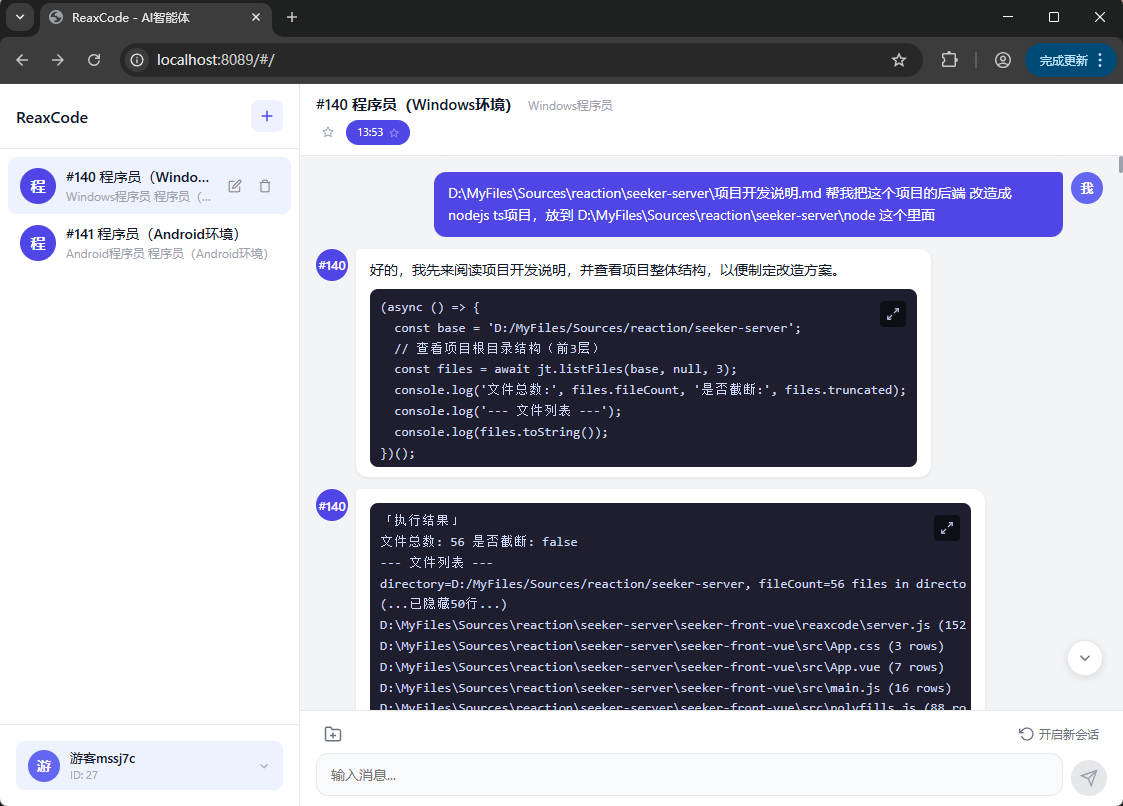
200w tokens < ¥0.5
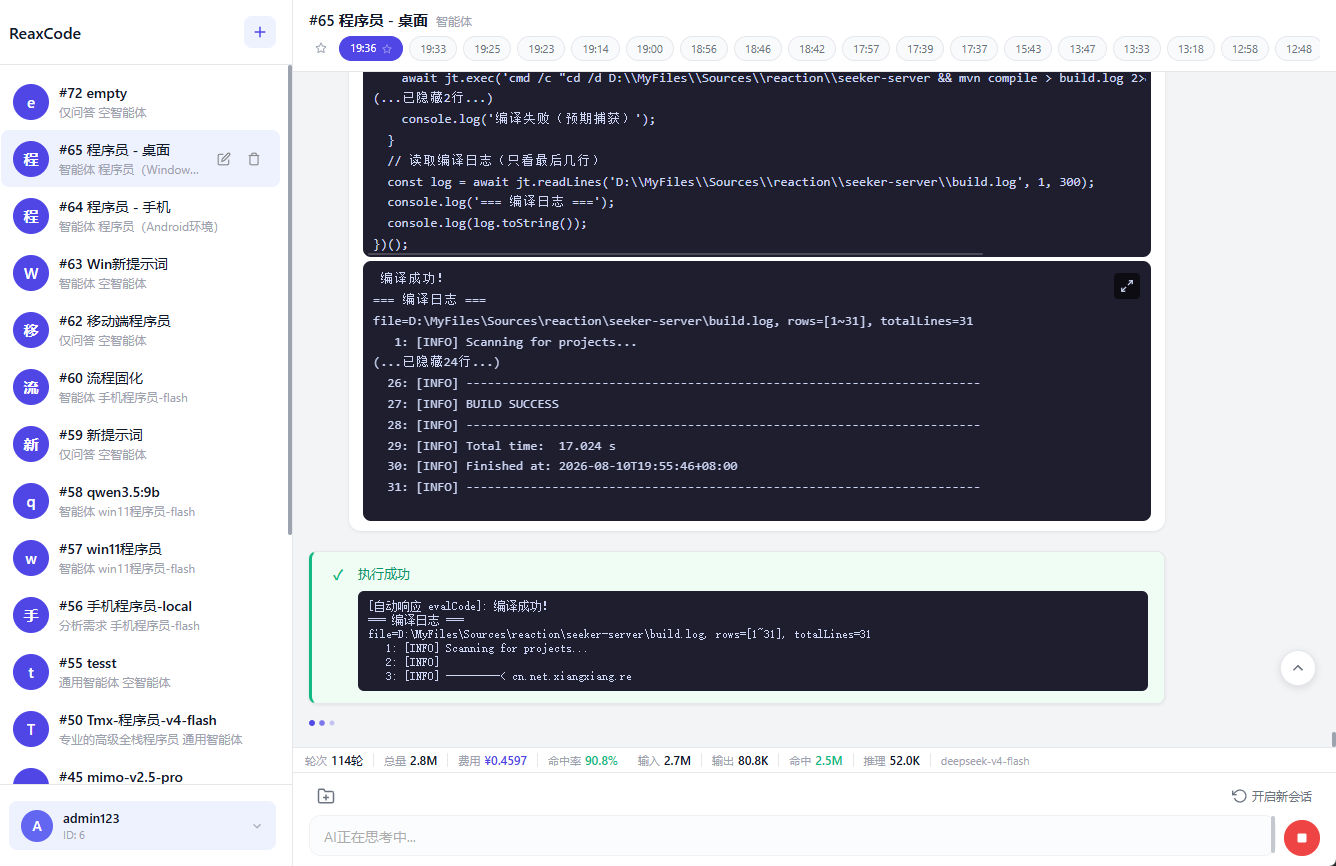
API
POST /api/callNative with JSON body:
{
  "methodName": "readLines",
  "args": ["./test.txt", 1, 10],
  "sessionId": "optional-session-id"
}
Available methods: exec, sleep, listFiles, readLines, replaceLines, insertLines, insertAfter, createFile, appendLines, undoEdit.
NodeTools Library
Require the library directly:
const { NodeTools } = require('nexcode/nodeTools');
const tools = new NodeTools();
const result = await tools.readLines('./file.txt', 1, 100);
License
MIT
原始 README: https://github.com/lrxzl/deepseek-reaxcode/blob/main/README.md ↗
同类插件
查看全部 →
dsh-anchored-standard
两阶段 DeepSeek Harness 预设:先 Minimal 对齐的 bootstrap,再切完整 Standard 工具(Project2 98/99)

PicGo-Core
极致的图片上传引擎,CLI 与 API 双支持

awesome-deepseek-harness
DeepSeek Harness(DSH)及其优秀社区插件的精选指南。

awesome-deepseek-harness
DeepSeek Harness (DSH)生态系统:来自dsh-external/hub和公共dsh-plugin主题的精选插件、工具和基础设施。

AI-Novel-Writer
本地优先 AI 小说创作工作台,提供 Windows/macOS 桌面版与 DeepSeek Harness 插件开发预览,支持角色、大纲、章节蓝图、审稿修稿和本地模型。

mcp-for-stata
MCP-for-Stata:把 Stata 集成进你的 agent