DeepSeek Harness Web 的认证反向代理网关插件
Authentication reverse-proxy gateway plugin for DeepSeek Harness Web
安装
dsh plugin --profile web add github:luodeb/dsh-web-auth-gatewayGitHub 源码安装:首次需按提示配置 allowBuilds 构建授权后重试
安装与环境配置指引、插件开发教程见 DSH 中文社区文档 ↗
安装即在你的机器上以你的权限运行第三方代码——它可读写文件、使用凭据、访问网络,DSH 的工具审批不会为插件代码加沙箱。「检测到 manifest」仅代表发现 dsh.bundle / dsh.plugin 清单,不构成兼容性或安全审查;安装前请审阅源码,不熟悉的插件先在不含密钥的环境试用。
README
A standalone authentication reverse-proxy gateway plugin for DeepSeek Harness Web.
The plugin serves a login page on a separate loopback port. After authentication, it proxies the complete DSH Web surface, including normal pages, plugin assets, API requests, and WebSocket upgrades.
Features
- First-run administrator account creation
- scrypt salted password hashing; plaintext passwords are never stored
- HttpOnly and SameSite=Strict session cookie
- Server-side in-memory sessions
- HTTP, API, and WebSocket authentication gate
- Settings card under
Settings > Plugins > Web UI Plugins - Configurable gateway port and session lifetime
- Official
@deepseek-ai/*NPM SDK only - No changes to DeepSeek Harness source code
Install
Requires Node.js 22 or newer and DeepSeek Harness.
dsh plugin --profile web add github:luodeb/dsh-web-auth-gateway
Restart DSH Web:
dsh web --host 127.0.0.1 --port 3080
Then open:
http://127.0.0.1:3090
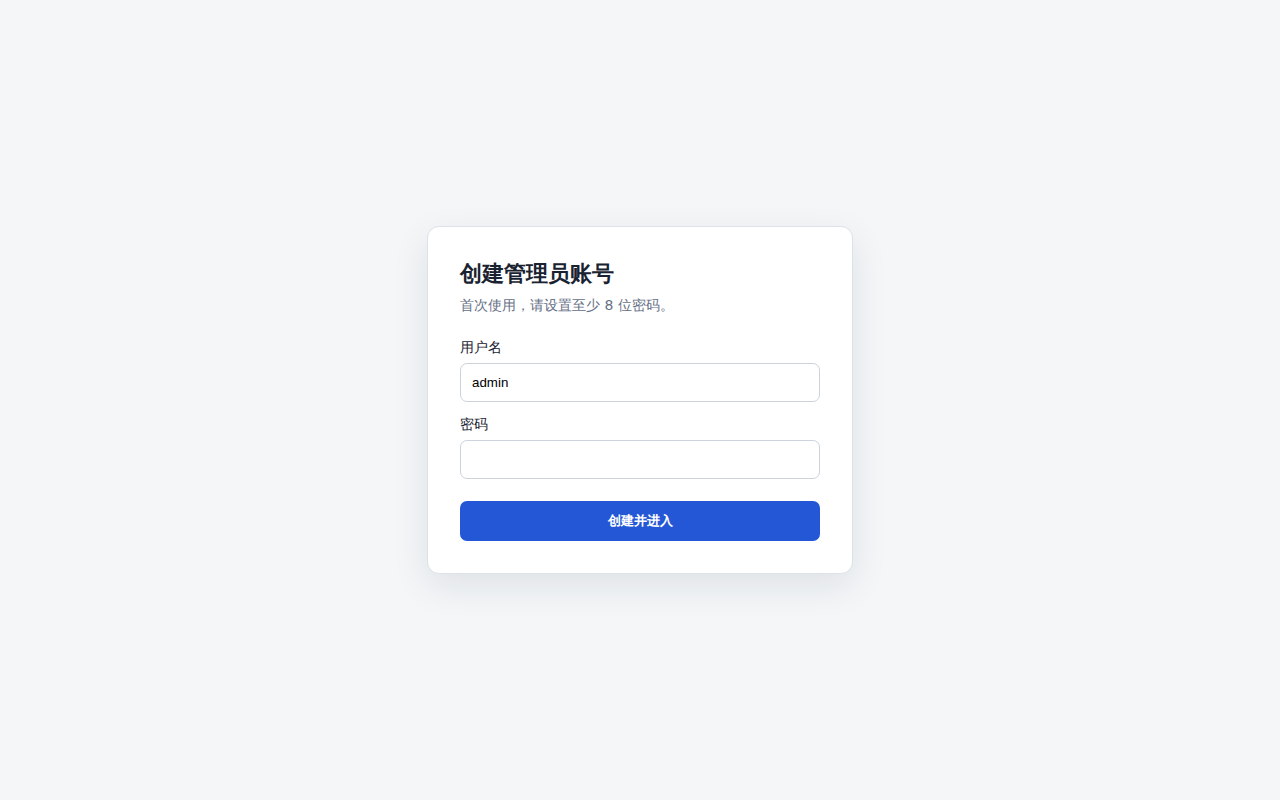
On first access, create the administrator account. Later visits require that account.
Settings
Open Settings > Plugins > Web UI Plugins > Login gateway.
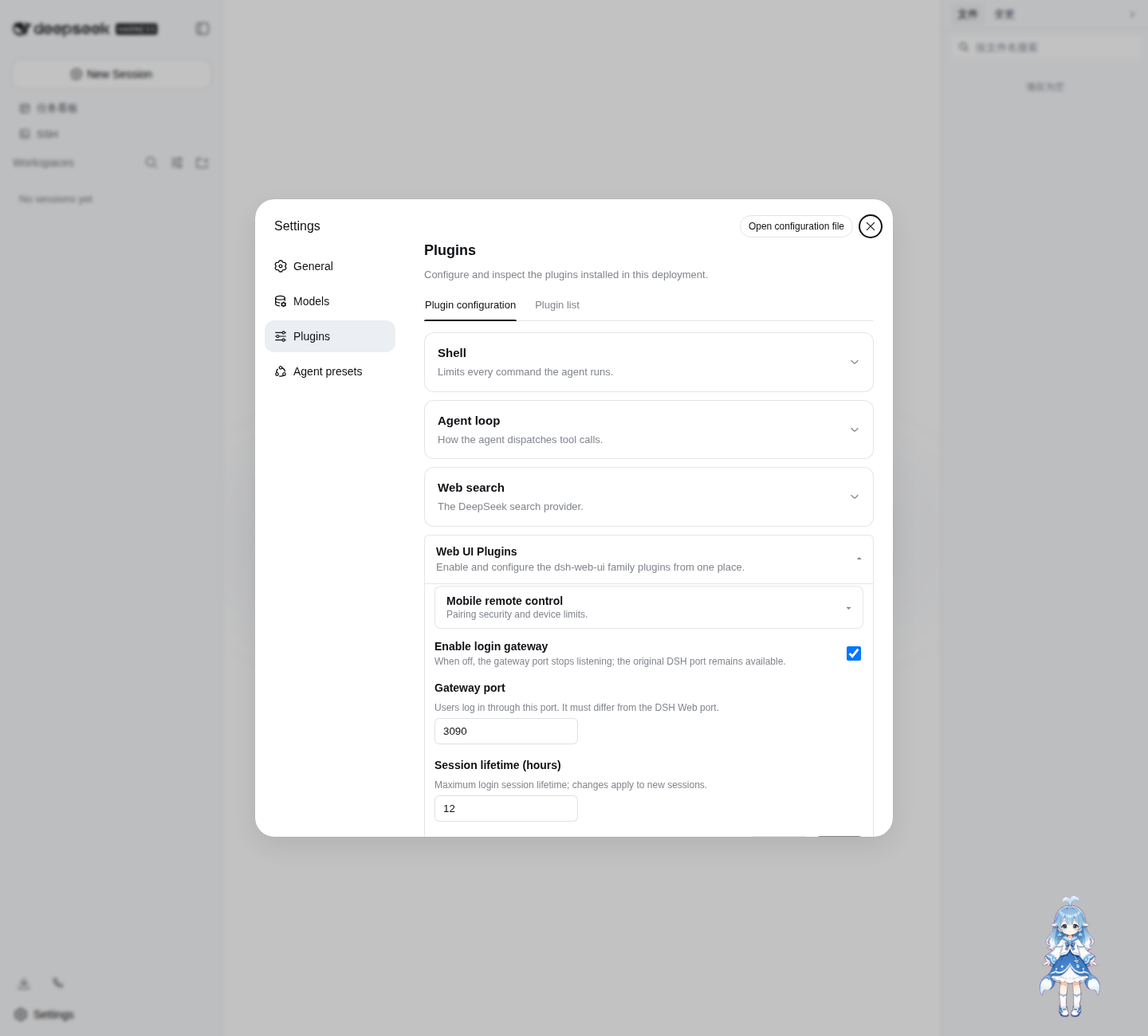
Defaults:
enabled: true
port: 3090
sessionTtlHours: 12
Settings are persisted through the official DSH Settings service in ~/.dsh/settings.yaml.
Login page
The password credential is stored at:
~/.dsh/web-auth-gateway/credential.json
The file contains only the username, random salt, and scrypt password hash. Its mode is 0600.
Security boundary
The original DSH Web port must remain bound to 127.0.0.1 or another trusted interface. If the upstream port is exposed to untrusted clients, they can bypass the gateway.
This plugin currently listens on 127.0.0.1. Use a TLS reverse proxy or a secure tunnel in front of the gateway for remote access. Do not expose plaintext HTTP directly to an untrusted network.
Sessions are stored in memory and are invalidated when DSH restarts.
Development
corepack enable
pnpm install
pnpm build
pnpm typecheck
pnpm test
Install the local checkout into the Web profile:
dsh plugin --profile web add link:$(pwd)
License
BSD-3-Clause
原始 README: https://github.com/luodeb/dsh-web-auth-gateway/blob/main/README.md ↗
同类插件
查看全部 →
k8e
k8e.sh — 开源 Agentic AI 沙箱矩阵

hol-guard
开源AI代理防病毒:运行时拦截风险工具、秘密访问、提示注入、恶意软件包、MCP服务器、插件和技能。

anolisa
ANOLISA(Agentic Nexus Operating Layer & Interface System Architecture):具备运行时、安全性、可观测性和 Tokenless 响应压缩能力的 Agentic OS,可降低 Token 使用量与成本。

mobius
首个自我演进的开源 Agent OS:连接你的团队、AI agent、设备与算力

deepseek-harness-desktop
DeepSeek Harness Tauri 桌面版 | Only 5mb installer, zero environment setup. Windows / macOS / Linux.

open-managed-agents
开源Claude管理代理API实现和自托管Claude标签式代理运行时。即插即用;在Cloudflare Workers/Durable Objects或Node.js上运行。Apache 2.0。