dsh-vision
by sjakdhasdh
给 DeepSeek Harness 里 没有原生识图能力的模型 (如 deepseek-v4-flash)加上识图工具。 Give image-recognition ability to DeepSeek Harness models without native vision (e.g. deepseek-v4-flash).
安装
dsh plugin --profile web add github:sjakdhasdh/dsh-visionGitHub 源码安装:首次需按提示配置 allowBuilds 构建授权后重试
安装与环境配置指引、插件开发教程见 DSH 中文社区文档 ↗
安装即在你的机器上以你的权限运行第三方代码——它可读写文件、使用凭据、访问网络,DSH 的工具审批不会为插件代码加沙箱。「检测到 manifest」仅代表发现 dsh.bundle / dsh.plugin 清单,不构成兼容性或安全审查;安装前请审阅源码,不熟悉的插件先在不含密钥的环境试用。
README
目录


给 DeepSeek Harness 里没有原生识图能力的模型(如 deepseek-v4-flash)加上识图工具。 Give image-recognition ability to DeepSeek Harness models without native vision (e.g. deepseek-v4-flash).
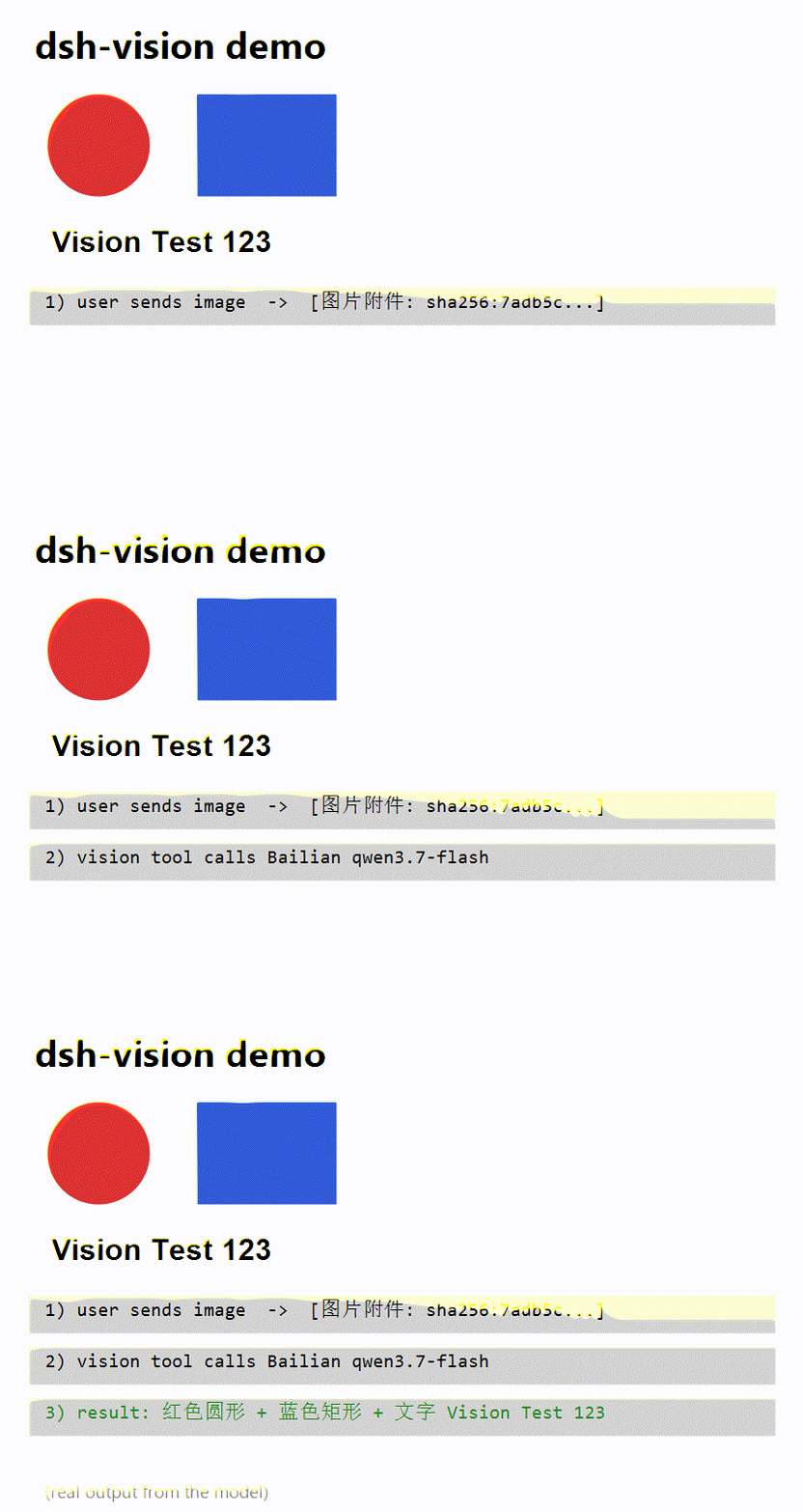
把本地图片或网络图片 URL 交给视觉大模型(默认阿里云百炼 qwen3.7-flash),返回中文文字描述。
Delegates local image paths / URLs to a vision LLM (default: Alibaba Cloud Bailian qwen3.7-flash) and returns a Chinese description.
中文
特性
- 🖼️ 支持本地图片路径、网络图片 URL
- 🔑 OpenAI 兼容格式,不绑定特定厂商(默认阿里云百炼)
- ⚙️ 配置优先级:插件 config > 环境变量 > 默认值
- 📦 零额外运行时依赖(只用 Node 内置
fetch)
安装
pnpm install && pnpm run build
# 在插件父目录执行:
dsh plugin --profile web add ./dsh-vision
# 重启 dsh,然后新建会话即可使用 vision 工具
配置
方式一:环境变量
export DASHSCOPE_API_KEY=sk-xxx
export VISION_MODEL=qwen3.7-flash-2026-07-15
export DASHSCOPE_BASE_URL=https://dashscope.aliyuncs.com/compatible-mode/v1
方式二:profile 补丁层 ~/.dsh/profiles/<name>/cordis.patch.yml
- id: dsh-vision
  config:
    apiKey: sk-xxx
    model: qwen3.7-flash-2026-07-15
    baseURL: https://dashscope.aliyuncs.com/compatible-mode/v1
使用
模型会自动调用 vision 工具,参数:
| 参数 | 必填 | 说明 |
|---|---|---|
image |
✅ | 本地图片绝对路径(如 C:\a.png)或 http(s) URL |
prompt |
❌ | 识别要求,默认"请详细描述这张图片的内容" |
提示:配合图片上传
DeepSeek Harness 默认的 DeepSeek adapter 声明模型纯文本,上传图片会被 MODEL_DOES_NOT_SUPPORT_IMAGES 拦截。
要让用户能直接粘贴图片(图片块渲染为 [图片附件: sha256:...] 标记),需要对
dsh-llm-deepseek 打一个小补丁(见 PATCHES.md)。
English
Features
- 🖼️ Local image paths and remote http(s) URLs
- 🔑 OpenAI-compatible API — vendor-agnostic (Bailian by default)
- ⚙️ Config precedence: plugin config > environment > defaults
- 📦 Zero extra runtime deps (built-in
fetchonly)
Install
pnpm install && pnpm run build
# from the PARENT directory:
dsh plugin --profile web add ./dsh-vision
# restart dsh, then open a NEW session — the `vision` tool appears in the model's toolset
Configuration
Option A — environment variables:
export DASHSCOPE_API_KEY=sk-xxx
export VISION_MODEL=qwen3.7-flash-2026-07-15
export DASHSCOPE_BASE_URL=https://dashscope.aliyuncs.com/compatible-mode/v1
Option B — profile patch layer ~/.dsh/profiles/<name>/cordis.patch.yml:
- id: dsh-vision
  config:
    apiKey: sk-xxx
    model: qwen3.7-flash-2026-07-15
    baseURL: https://dashscope.aliyuncs.com/compatible-mode/v1
Usage
The model calls the vision tool automatically:
| Param | Required | Description |
|---|---|---|
image |
✅ | Absolute local path (e.g. C:\a.png) or http(s) URL |
prompt |
❌ | Instruction; defaults to "describe this image in detail" |
Note: enabling image upload
The stock DeepSeek adapter declares models text-only and rejects uploads with
MODEL_DOES_NOT_SUPPORT_IMAGES. To let users paste images directly (rendered as
[图片附件: sha256:...] markers), apply the small patch described in PATCHES.md.
Articles / 相关文章
- 📖 中文实战文章(掘金):给 DeepSeek Harness 加上识图能力:从踩坑到发布开源插件的完整实践
- 📖 同文(CSDN):DeepSeek 模型不识图?开源插件 dsh-vision 让纯文本模型也能"看"图片
- 📖 同文(知乎):DeepSeek 官方智能体框架不识图?我给它写了个开源插件
- 📣 官方 Discussions:Show and tell #876
License
MIT
原始 README: https://github.com/sjakdhasdh/dsh-vision/blob/main/README.md ↗
同类插件
查看全部 →
modlens
为纯文本模型架起视觉桥梁:粘贴图片,输出结构化 JSON 证据(OCR、版面、语义)。

dsh-vision-toolkit
让纯文本模型更好地做视觉任务:带意图的图片问答、长截图 OCR、UI 还原等。

dsh-vision-router
为纯文本 Agent 提供视觉能力:内置免 Key 视觉链 + 像素级视觉工具(看图问答、定位、裁剪、像素对比、取色、OCR、矢量化、抠图、截图);粘贴图片即可用。

dsh-vision-complete
给 DeepSeek 补上「眼睛和耳朵」的多模态视觉插件:看图 / OCR / 物体检测 / 视频理解 / 语音转写 / 截图直读,一键安装(DSH 插件)。

dsh-media-skills
面向纯文本模型的免费视觉桥与生图:粘贴读图、GLM-4V-Flash 与 Gemini 引擎故障转移、modlens 同款结构化证据输出,并自动播种免费视觉模型路由。

dsh-vision-opencode
给纯文本主模型加可配置识图模型:vision_read_image 工具、输入框识图模型选择器,以及纯文本路由的图片自动转文字。