deepseek-harness
by tt-a1i
从仓库或系统描述生成经过校验的自包含交互式架构图、流程图、时序图、数据流图和生命周期图。
Generate validated, self-contained interactive architecture, workflow, sequence, data-flow, and lifecycle diagrams from repositories or system descriptions.
安装
dsh plugin --profile web add github:tt-a1i/archify#path:/integrations/deepseek-harnessGitHub 源码安装:首次需按提示配置 allowBuilds 构建授权后重试
安装与环境配置指引、插件开发教程见 DSH 中文社区文档 ↗
安装即在你的机器上以你的权限运行第三方代码——它可读写文件、使用凭据、访问网络,DSH 的工具审批不会为插件代码加沙箱。「检测到 manifest」仅代表发现 dsh.bundle / dsh.plugin 清单,不构成兼容性或安全审查;安装前请审阅源码,不熟悉的插件先在不含密钥的环境试用。
预览截图
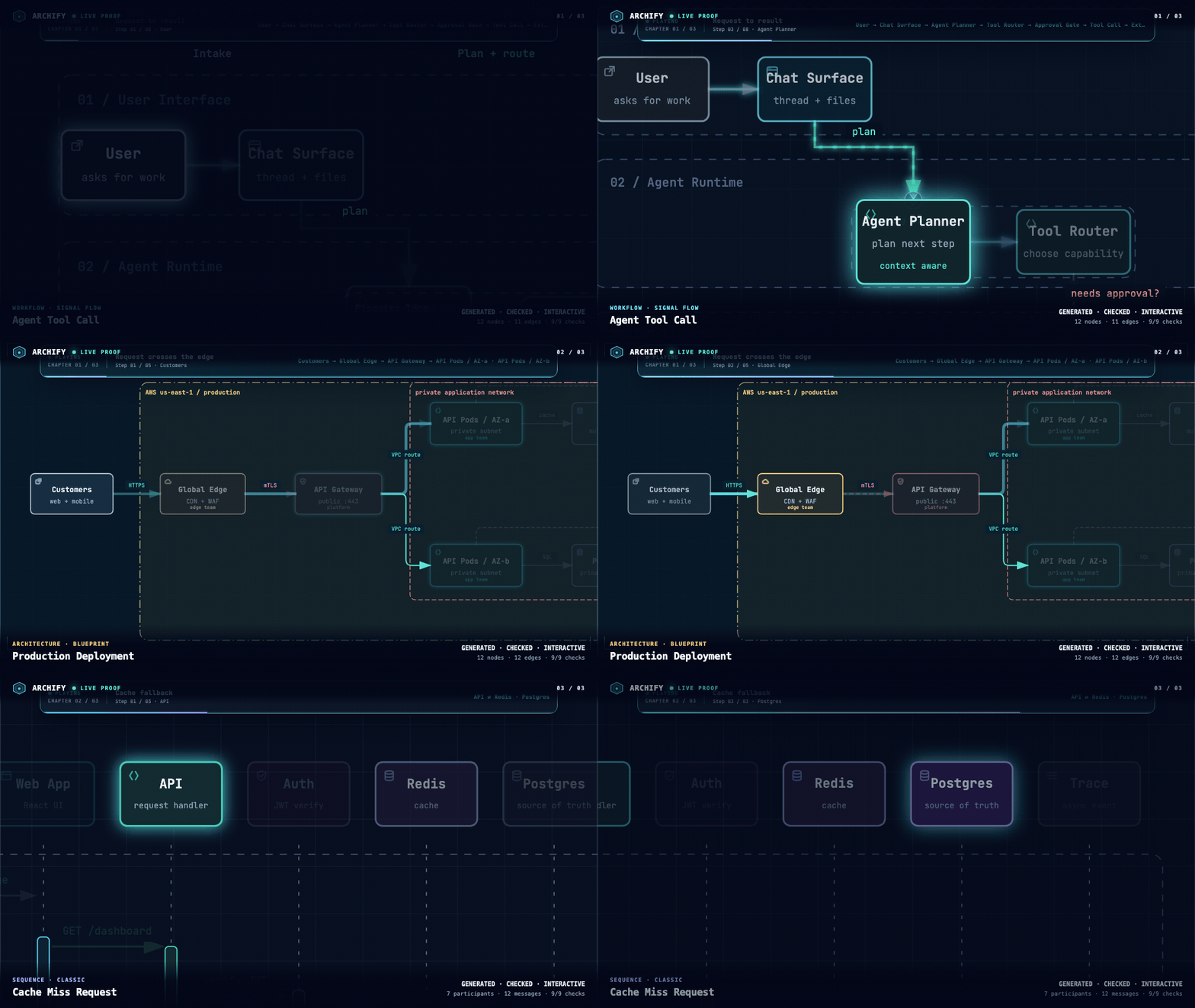
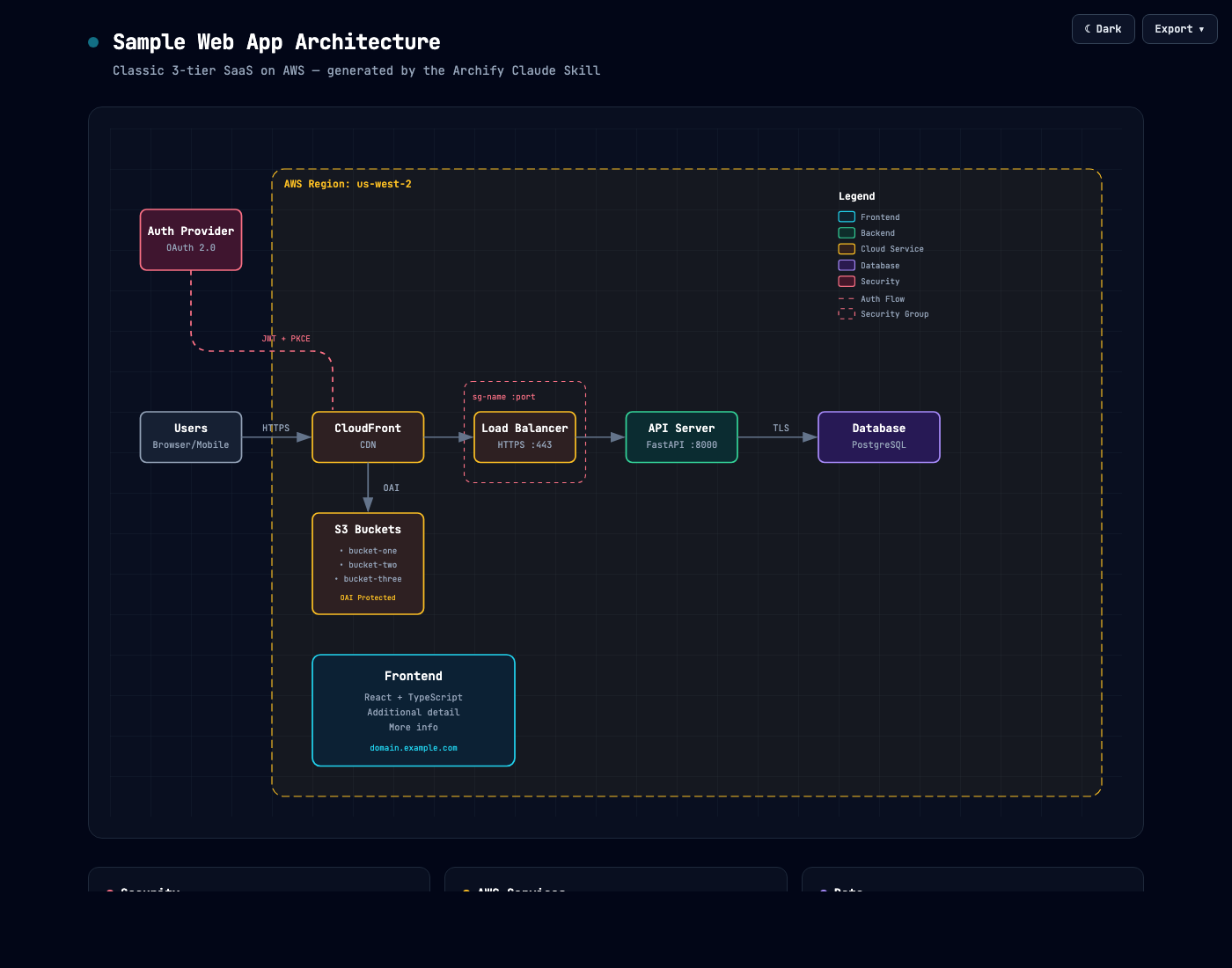
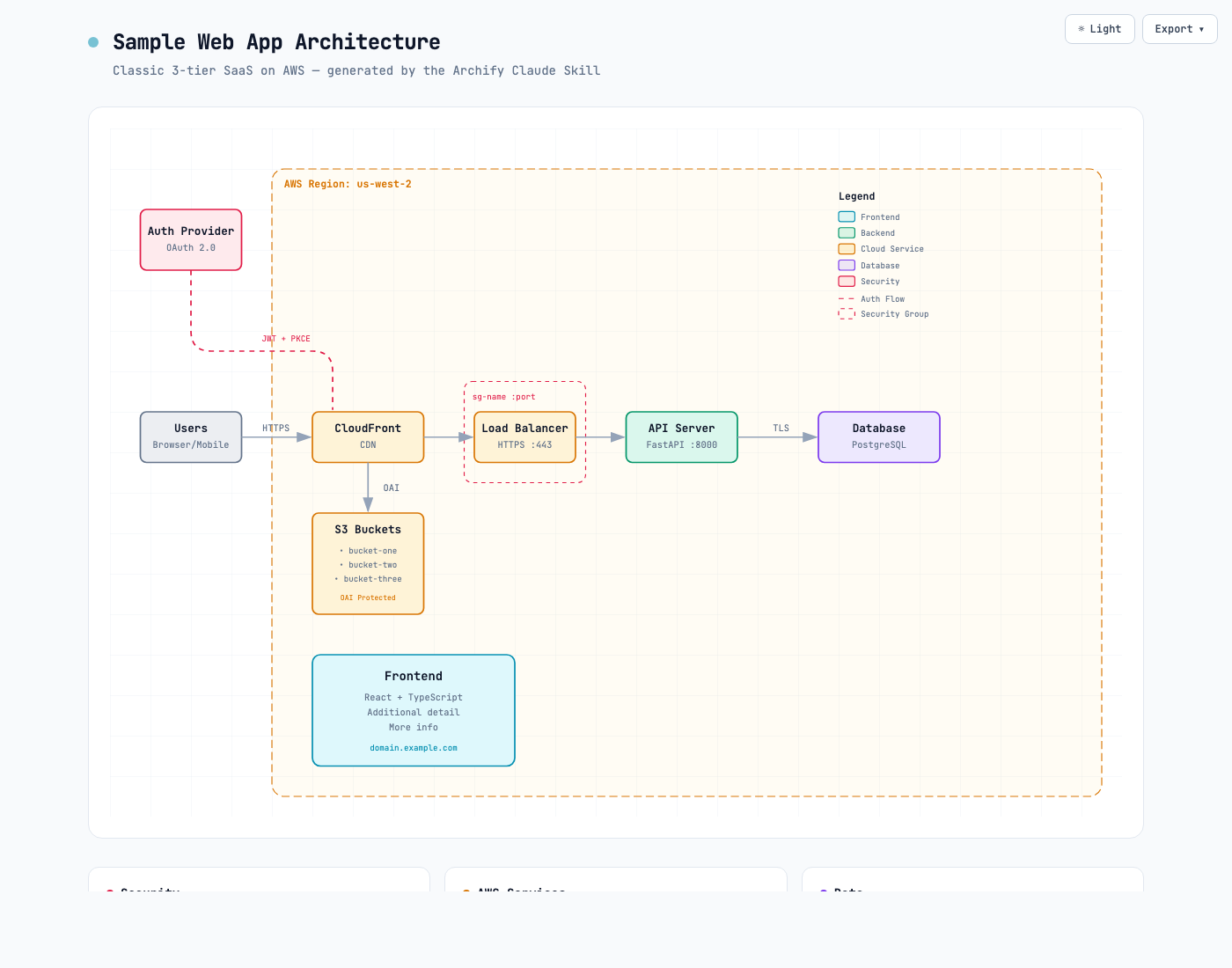
README
Community DeepSeek Harness integration for Archify. This is not an official DeepSeek product and does not imply DeepSeek endorsement.
v0.1.0 is experimental compatibility with developer-preview @deepseek-ai/dsh@0.1.0-rc.6 on Node.js ^22.19.0 || >=24.0.0. It is not a stable cross-version guarantee.
The package is a Skill-only bundle: it inserts one filesystem Skill provider named archify-plugin and exposes a clean copy of the existing Archify Skill. It does not register native render/validate/deliver tools, a custom Web client, Produced Files chips, telemetry, network access, credentials handling, background services, or prepare / install / postinstall hooks.
Install
Use the prebuilt npm package with an exact version. Do not install from Git source.
dsh plugin --profile web add @tt-a1i/archify-dsh@0.1.0
Invoke
Ask DSH to load Archify by name:
Use the archify skill to map this repository's runtime architecture.
Show 8–12 core components, one primary path, external dependencies, and trust boundaries.
Put supporting detail in cards instead of adding more edges.
After delivery, return the exact workspace paths of the specification JSON and the HTML artifact.
Archify then runs through DSH's ordinary Skill, shell, and filesystem paths. Generated JSON and HTML are normal workspace files.
Produced Files limitation
Files created by shell commands do not automatically appear in the Web Produced Files strip. Ask the agent to return the exact workspace paths of the specification JSON and the HTML artifact, then open those files from the workspace.
Uninstall
dsh plugin --profile web remove @tt-a1i/archify-dsh
The standard plugin command removes the adapter dependency and bundle layer. The base profile remains usable.
Security posture
- No telemetry, network client, credentials handling, or background service
- No
prepare,install, orpostinstallscripts - Host-loaded adapter code does not spawn processes or open a second permission path
- Package resolution, provider load, and composition errors fail during normal DSH boot
原始 README: https://github.com/tt-a1i/archify/blob/main/integrations/deepseek-harness/README.md ↗
同类插件
查看全部 →
dsh-plugin
通过 DSH MCP 客户端挂载 Ouroboros 的纯配置包,在 DSH 中提供 36 个涵盖需求访谈、Seed、执行、评估与演化流程的工具。

dsh-tongflow
基于 TongFlow 的“片场”插件,用于图片、配音、音乐与视频制作:agent 为每个资产生成 TongFlow 工作流文件(.tongflow.json)并通过 TongFlow 插件执行,内嵌工作流画布,按镜头/角色/take 组织项目,附漫剧模板;以 @tongflow 开头的会话进入 Studio 界面。

helloagents
AI 编码 CLI 的工作流层:技能、项目知识、交付检查、更安全的配置写入与可恢复执行

dsh-ai-novel-writer
安装专用 AI 小说创作预设与工作台:提供带修订号的本地项目资产、紧凑侧边工作台,以及需要原生审批的逐文件变更。

rea
用 agent 逆向任何东西:从应用行为到原生二进制

dsh-handbook
DeepSeek Harness (dsh) 从 0 到 1 深度手册:安装/插件开发/性能调优/实测案例/同模型多 Agent 实测对比(中文 + 英文 PDF)